

Core Components
The Phylax Explorer
The Phylax Explorer is the public dashboard that displays the security and operational risk posture of protocols that have opted into runtime enforcement. Users can find the following:- Summaries of the actions protected by circuit breakers and assertions
- Scenarios the assertions prevent
- Summaries of what each assertion or circuit breaker does and the failure modes they prevent
- If the protocol is governed by an admin multisig wallet, documentation of the breakdown of roles on the admin wallet, its signer threshold, and the time delay required when making changes
- Documentation of whether each contract is upgradeable or not
- Whether the current deployed protocol has meaningfully diverged from the code at the time of audit
Security Posture Evidence
The Phylax Explorer can organize assertion summaries, operational risk cards, and deployed-vs-audited code checks into one public project view. This helps protocol teams show what is protected, what evidence is available, and what still needs review.Projects
The Projects interface enables protocol teams to create and manage projects, link contract addresses, and associate assertions with their contracts.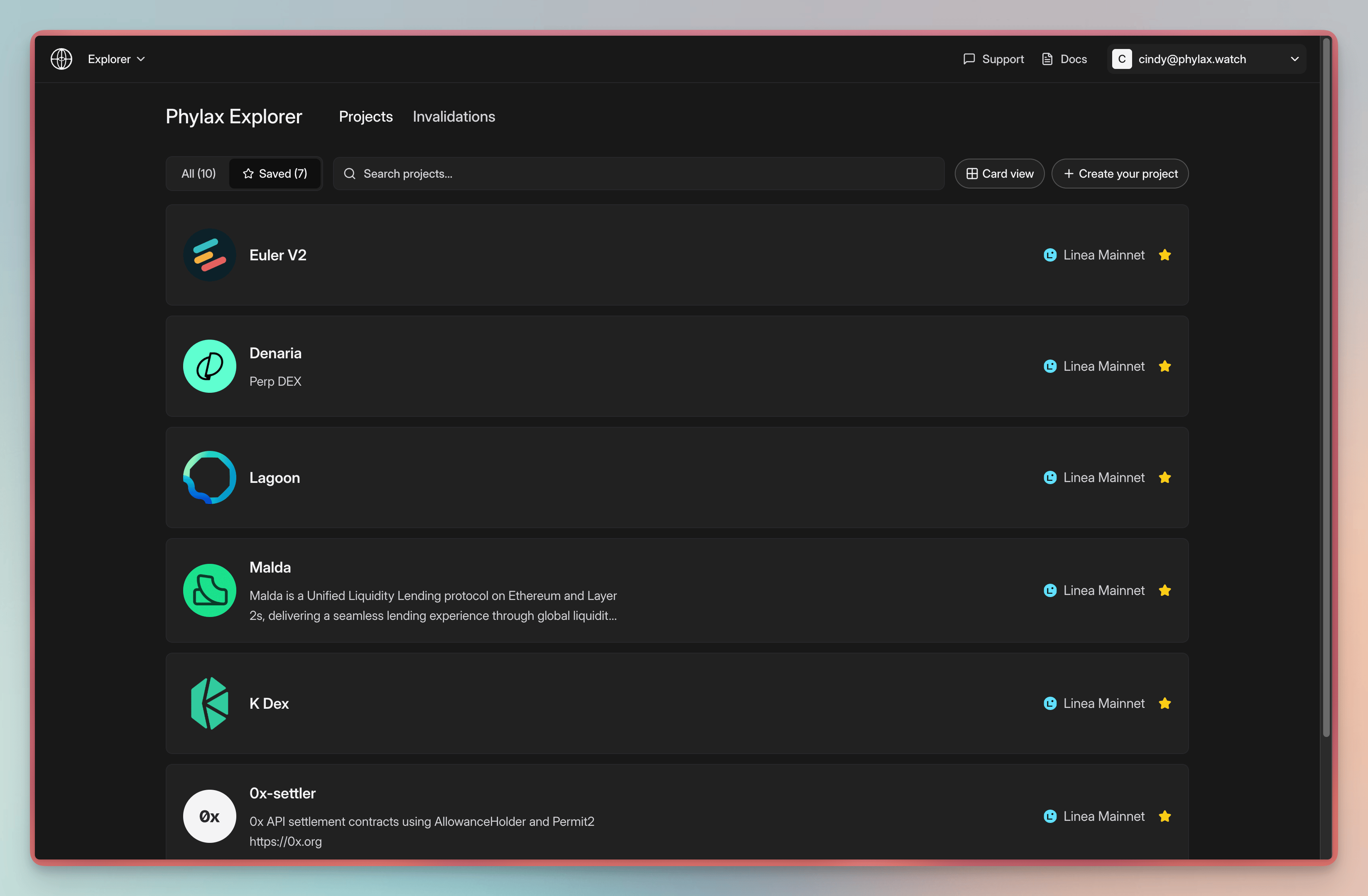
The Phylax Explorer projects page
Invalidations
The Invalidations page tracks transactions that violated assertions in production, or would have violated assertions in staging. Production invalidations correspond to transactions that were dropped before settlement. Staging invalidations are observe-only records that help teams tune assertions before promotion.Authentication
To use project management features, you need to authenticate throughpcl. The platform supports authentication via wallet, email, Google, or GitHub.
Authentication is required to create and manage projects. Open the platform at app.phylax.systems, then use the Deploy Assertions guide for the step-by-step authentication flow.
Key Features
- Public project review: Browse public projects, protected contracts, and assertion posture
- Protection summaries: Review release-generated summaries of protected actions, circuit breakers, assertion behavior, and failure modes
- Operational risk cards: Inspect verifiable properties such as admin roles, signer thresholds, timelocks, role segregation, and upgradeability when available
- Deployed-vs-audited code context: See whether current deployed implementation code appears to differ from the most recent known audited code when metadata is available
- Evidence links: Review project-provided GitHub, audit, and formal verification links
- Release review: Inspect assertion changes before signing on-chain deployment transactions
- Unified management: Manage assertion releases, project metadata, and notification settings from one interface
- Invalidation monitoring: Track assertion failures in staging and production
- Verifiable posture: Users can review protection before interacting with protocols
Getting Started
The Phylax Explorer
Browse public projects, assertions, evidence, and operational posture
Security Posture in The Phylax Explorer
Understand assertion summaries, risk cards, and audit context
Projects
Create and manage your protocol projects
Deploy Assertions
Step-by-step guide to deploying assertions
Invalidations
Track production drops and staging invalidations
Quickstart
Get started with pcl
Authentication
Learn how to authenticate with the platform
Ownership Verification
Understand ownership requirements
Plan a Platform Integration
High-level adoption flow for protocol teams