

Public views in The Phylax Explorer are for review. Some transaction payloads, traces, staging data, and project-management controls are only available to project members.
Start with the project overview
The project overview establishes the scope of the review. It identifies the network, protocol manager, public repository, protected contracts, active assertions, and available audits or security documents. The overview also includes a plain-English project summary and a list of protected actions. The project team creates these summaries as part of each new release, so the description reflects the assertions included in that release rather than a static project description.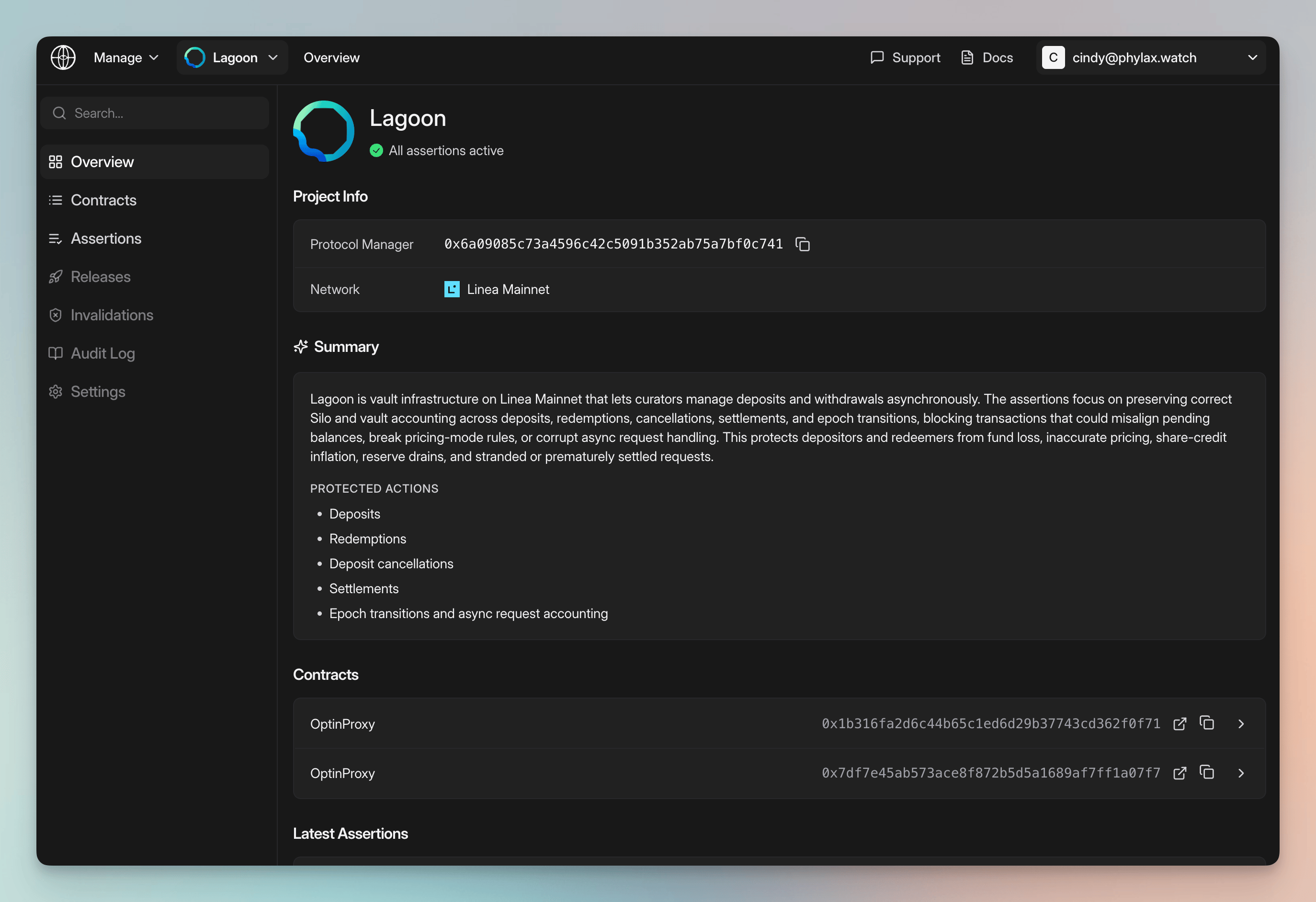
Project overview with a release-generated protection summary
Understand what each assertion protects
Open an assertion to review the protection at assertion level. The summary connects the assertion’s intent to the deployed contracts and execution conditions that a technical reviewer can inspect. An assertion page can show:- Unsafe condition: the failure mode the assertion is designed to prevent
- Protected action: the transaction behavior the assertion blocks when its rule is violated
- Linked contracts: the contracts covered by the assertion
- Triggers: the calls or state changes that cause the assertion to execute
- Source code: the implementation behind the plain-English description
Review operational authority and change paths
The Operational Risk section describes how the reviewed contracts can change. It begins with a project-level finding and four summaries that answer:- Who holds change power? The authority mechanisms that control the reviewed paths, such as multisig wallets.
- What is the fewest approval count? The lowest signer threshold among the reviewed paths.
- How soon can a change execute? The shortest enforced waiting period found across those paths.
- Can another route avoid protections? Whether an alternate path can bypass approvals or delays used elsewhere.
Review authority, approval thresholds, execution delays, and protocol change paths
Who can do what
The Who can do what table maps each affected contract to its authority mechanism and controlling account. For a multisig-controlled route, it also shows the signer threshold and links to the authority account on the block explorer. This separates the question of who can authorize a change from the question of what that authority can change.How protocol changes can happen
The How protocol changes can happen section expands each reviewed route. A route identifies:- what can change, such as fees, roles, availability, authorized solvers, or contract implementation
- which contract is affected and whether it is direct or upgradeable
- the account or signer group that authorizes the change
- the minimum approvals required
- the earliest execution time, including any enforced delay
- the contracts and accounts that make up the route
- whether the route can execute sooner than another route protecting the same outcome