

- A project in the Phylax platform
- A release created with
pcl apply - Access to review that project’s releases
What backtesting checks
The platform evaluates release assertions against a historical block range. Findings identify transactions that would violate the proposed rules. Use the block range reported by the backtest to assess its coverage. Use the results to check policy behavior against real activity. A passing result does not cover untested operations or future exploits.Open the release
Open your project and select the release under Releases. Review its proposed changes and release checks. Select Backtesting and check the block range, watched assertion IDs, and Transactions With Assertions. Passed reports no violations in the tested activity. Issue found means a transaction needs review.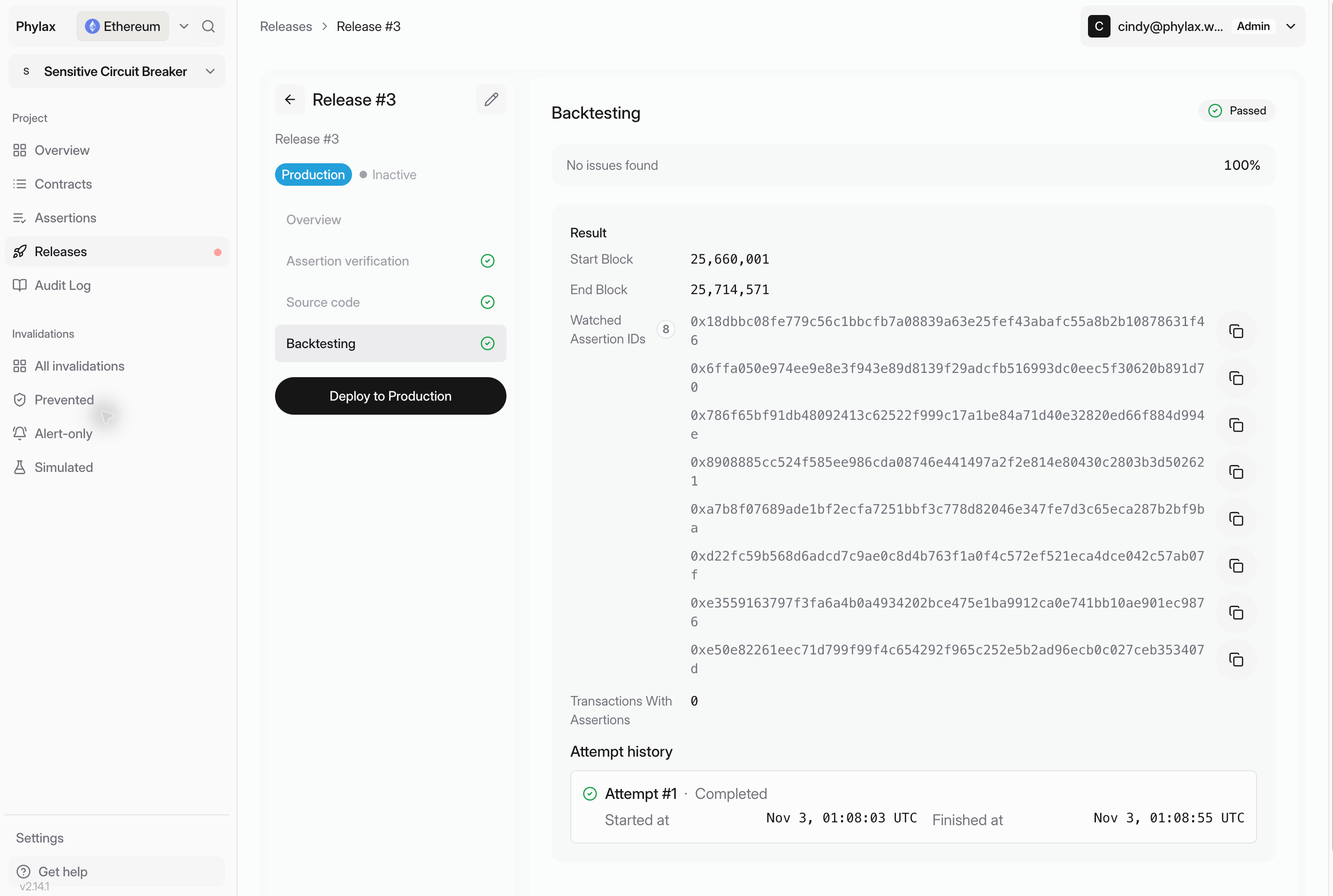
This backtest passed, but zero transactions exercised its assertions
Review a backtesting finding
For a finding, check Matched TX Hash, Matched Assertion ID, and Matched Assertion Adopter. These identify the transaction, failed rule, and protected contract. The result also shows the block number and check history.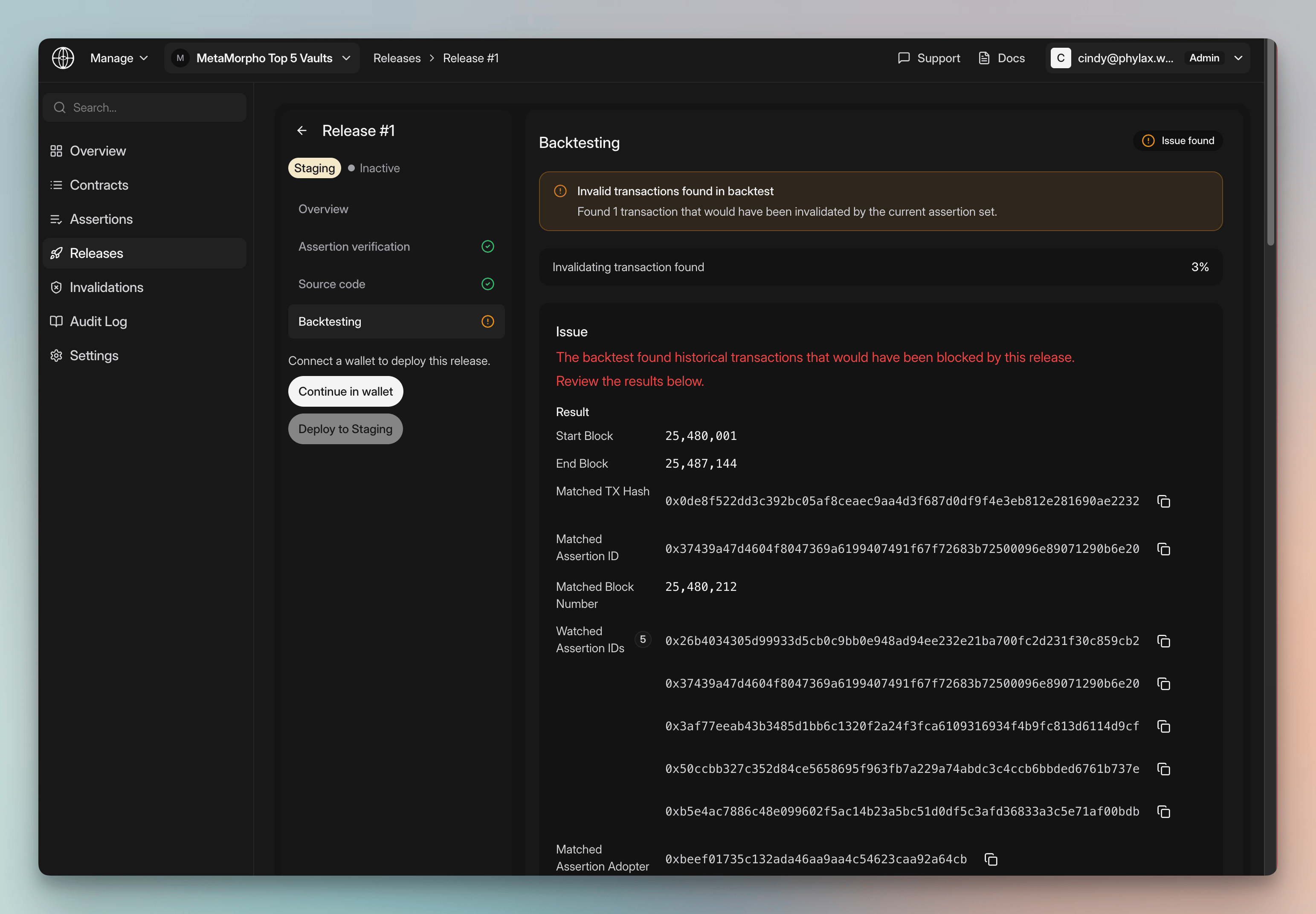
A backtesting finding with the matched transaction, assertion, block, and adopter
Inspect the invalidated transaction
Open Matched TX Hash in the network’s block explorer. Compare the transaction’s calls and state changes with the intended policy. Determine whether the activity should be permitted. Inspect Matched Incident Payload to map the revert data to the assertion function and adopter. For policies with historical context, inspect previous transactions and the block environment. Earlier activity can explain a threshold violation.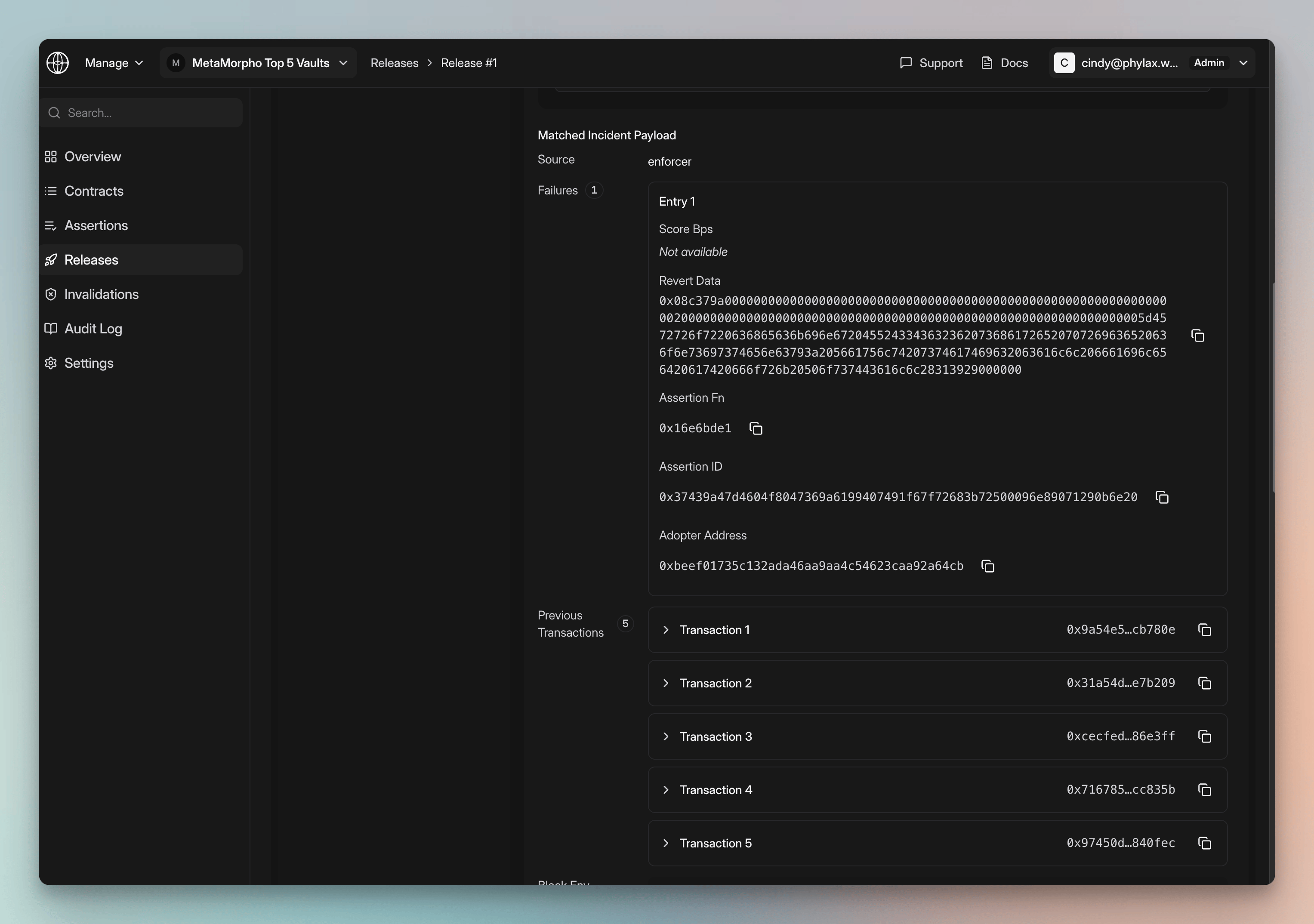
Use the incident payload and preceding transactions to understand why the assertion failed
Decide what to do next
- Expected violation: record why the policy should reject it, then review the remaining release checks.
- False positive: revise the policy and add a regression test. Create a new release with
pcl applyto repeat the checks. - Unexplained result: investigate the payload and replay context before deployment. See Troubleshooting.
Next steps
Test Assertions
Add focused and regression tests before creating another release
Apply Assertions
Create a new release after tuning an assertion
Review and Deploy Policies
Review release checks and authorize deployment.